EMDR Pro is an advanced EMI / EMDR software system that has been designed to automate the generation of eye movements thereby allowing the therapist to focus on the therapy itself. Very simply an object or image tracks from left to right in any direction whilst at the same time auditory stimulation tracks from left to right at the same rate. EMDR Pro is suitable for use by therapists and for home use by clients as directed by their therapists.
Eye Movement Integration / EMT / EMDR Software: What does EMDR Pro do?
Feature
Benefit
On screen bilateral visual tracking from left to right via the display of an image or a shape / standard object
Allows you to focus on the client and the process. The software automatically generates bilateral eye movements facilitating desensitisation.
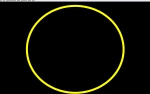
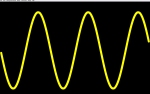
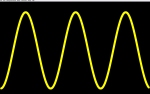
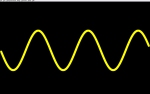
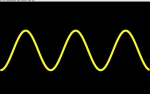
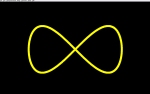
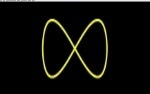
Tracking in any direction at any time [Visual / Auditory / Kinaesthetic] (V/A/K/Ad-Vc/K-Vr/Cycle) / Circular / Vertical / Wave / Figure of eight
Enables you to tailor EMDR to the client's primary modality / break through blocks by crossing modalities. Allows you to cross modalities which is essential for Eye Movement Integration therapy.
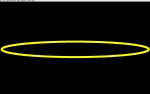
Flat and clockwise / anticlockwise elliptical tracking styles
Enables you to tailor the EMDR session to the individual depending on the style of tracking that they like.
Implicit anti-habituation
Automatic anti-habituation is implicit in all tracking motions apart from "flat". The "cycle" tracking motion sequence also prevents habituation.
Bilateral auditory stimulation that pans background audio from left to right as the object / image moves from left to right
Engages multiple modalities at the same time ie Visual and Auditory
Bilateral auditory stimulation in the form of beeps that play when the tracking object is at the far left and right hand sides. Preview before use.
Choose from 240+ pre defined beeps / sound effects or provide your own (100+ in installer / 240+ on downloadable ISO and website) and hear the sounds before using them if you wish
Any background sound and / or CD background audio. Preview before use if you wish.
Background music gives the conscious mind a constant to focus upon and can mask external noise. Background music loops can be panned automatically as the object tracks from left to right. Pan CD audio as the object tracks. You can play two background audio files at the same time. You can play previously played background audio files quickly and easily.
Choose from a range of pre-packaged background sound loops or provide your own. Preview before use if you wish.
You have complete control - at the touch of a key adjust volume / panning / sound file specifically for the current background sound
"Smooth start" audio
When you load or clear audio the volume is reduced to zero, the file is loaded / cleared and the volume is gently reinstated. This means no jarring changes in volume.
Binaural Sound generator / player is built-in
The built in Binaural Sound generator / player means that you don't need to run another program behind EMDR in order to play Binaural Sounds and you can use the generator to produce Binaural Sounds very rapidly. Binaural Sounds can also be saved to a .wav file for future use very easily. (Smooth start / track panning is not applicable for Binaural Sounds).
Any tracking image / background image at any time. Preview before use. Any background colour
Select from a range of preset objects (red / green / blue / yellow / black / white) (circles / squares / rectangles) or select an image from the pre-packaged library or select your own. You can select any background image or a background colour or both. This means that CBT systematic desensitisation / graded exposure therapy can be merged into the EMDR process seamlessly.
Multiple background images (slideshow effect)
If one picture says a thousand words multiple pictures displayed sequentially can say volumes. The picture changes when the tracking object / image hits the right hand side of the screen. You can change the display order of the images, delete and copy images, and select one or more images from any number of different folders. Click here to see how...
Multiple tracking images (slideshow effect for he tracking image)
The tracking image changes when the tracking image hits the right hand side of the screen. You can select one or more images from any number of different folders.
Adjust tracking object size / tracking speed at any time
You can change the size of the image / object at any time and you also have complete control over the speed of the movement at the touch of a key
On-screen software counting of loops / reps (optional)
Stop movements after a preset number of sets or loop to infinity - either way your EMDR software will let you know how many sets have passed. The number of loops / reps can optionally be displayed as you are tracking and the loop counter can be reset on demand.
Optional brief on-screen textual messages
If selected, a single textual {semi subliminal} phrase will be flashed on screen for approx 0.5 seconds as the image / object starts to move towards the right hand side. (eg "LETTING GO"). The background image can also be set such that it is only displayed very briefly when the tracking image is at the right or left hand sides.
Keyboard shortcuts
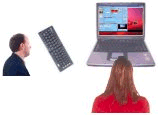
You can sit away from the screen and will still have complete over your EMDR software via your keyboard
Single screen or multi-screen
Can be used easily with a single screen or with a dual monitor / projector setup
Save / reload EMDR software settings
Enables you to store current EMDR software settings on eg a per condition or per client basis. You can also customise many application default settings. You can also have several copies of EMDR Pro open at the same time.
170+ sample settings files included
170+ sample EMDR therapy settings files and associated *mutimedia files as used by therapists have been made available to EMDR Pro users (*minus music files) so you can see how other therapists have used EMDR Pro in the past.
Record sounds and generate ambient audio, inbuilt utility and a link with Audacity
Enables you record your EMDR audio from within EMDR Pro (V2.6+) and easily generate ambient background audio (see below)
Enables you to apply EMDR treatment protocols to yourself. Can be used by patients themselves with guidance from a therapist.
EMDR treatment forms / modality testing utility
Enables you to document EMDR treatment on a formalised basis (forms cover the standard trauma protocol / generic desensitisation / recent trauma / phobia desensitisation). The forms are detailed and tell you exactly what to do and when - in detail. There is ample provision for recording SUDS so you can monitor change over time. (On request / therapists only).
Free: Large additional image / audio / video library compiled by users for other users (Online via the resource area and more fully on the installation DVD/CD) - approx 240 MB online / 920 MB on the DVD/CD
You don't need to search for tracking images / background images / audio loops / video files for a wide variety of situations
Free: You are given a free copy of EMDR Lite to demonstrate the EMDR process to your client's free of charge (A free web based version of EMDR Lite is also available). Clients can use EMDR Home or EMDR Multi Home to continue processing themselves (purchase required).
This enables your clients to continue the process when back at home.
A few feedback comments from users
"I am very pleased with the software, It will save me a lot of work."
"Support is great - if there's a problem they fix it quickly"
"A very effective tool - impressed."
"There are lots of free extras eg EMDR Lite and the Swish techniques are part of EMDR pro - you don't even have to install them."
"No more tennis elbow! Love it."
"I use it on myself as well as with clients - it does exactly what it says it does and more."
"I use EMDR Pro with almost every patient"
"Excellent software! Thank you!"
"Very fast support"
"Excellent post-sales support"
"Thanks for your good customer service"
"I am most impressed with your customer service - first class, thank you"
"I have used EMDR Pro more or less every working day for day for the last four years. EMDR Pro has proved invaluable in my trauma (PTSD) and phobia work. I have recommended the program to other therapists and have no hesitation in recommending it it in the future to other psychotherapists and counsellors. The program saves time, therapist energy (no more sore shoulders), provides a credible technologically based EMDR interface to clients, and is easily adaptable to specific client situations and needs (e.g. specific phobias and traumas)."
"Thank you for this wonderful product. It has really been helping me with my clients."
EMDR Pro enables you to go far beyond the original EMDR trauma based protocols and greatly extends the reach of Eye Movement Integration therapy. With the right images and sounds (as provided by the user multimedia library) you can use EMDR Pro for all of the following situations:
Issues
Trauma (PTSD / PTS)
Aversion
Motivation / Anchoring
Relaxation
Stress / anxiety reduction
Habit removal
Addictions
Phobias
Stress
Belief change
Emotional stress
... and much more ...
Therapies
EMDR / EMT (EMDR for home use) {Fast tracking speeds}
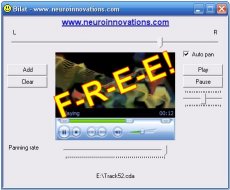
Bilat is a free bilateral sound generator that's free with EMDR Pro!!
Motivation
Aversion
Phobias
Addictions
What does it look like?
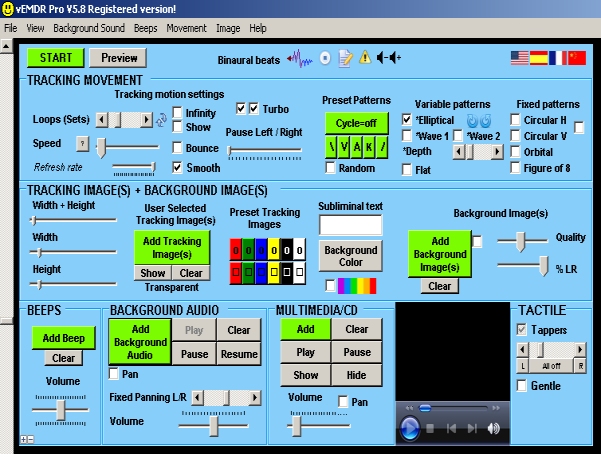
Setup mode allows you to adjust the settings via an easy to use graphical user interface
Brief settings menu with dual screen / projector support
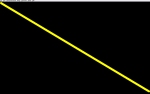
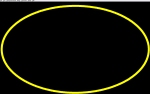
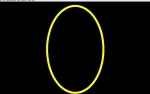
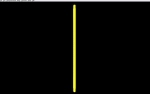
A rough indication of how totally flexible object tracking is
Fullscreen mode provides an uncluttered screen enabling the client to focus on the movement not the system's controls
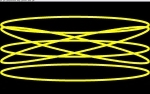
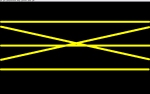
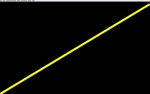
Default tracking patterns
How easy is it to use?
Once the installation and unlocking process has been completed EMDR Pro can be used by anyone very easily. There are also a variety of features that will appeal to more technically minded users or those that wish to do more with the EMDR process.
With only the following instructions you get up and running with EMDR Pro in about 5 seconds:
press the escape key
the system will generate 25 sets of tracking motion (press the control key and "F" key to track faster or the "S" key for slower)
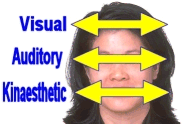
press "V" "A" "K" "\" or "/" to change the tracking position (Visual / Auditory / Kinaesthetic as per NLP eye accessing cues)
press "R"educe and "E"nlarge to change the size of the tracking object
at the end of the 25 sets press the space key to continue processing OR press the escape key to return to the main settings menu
There is help available in the form of a printable reference manual, online help, searchable help, a key-board shortcut sheet and instant help whenever you hover your mouse cursor over any control. (See below to preview):
We have provided a screen-shot animation (recorded at 4 screenshots per second - wmv format) to show what EMDR Pro looks like when being used.
Limitations: (1) The simple animations below do not reflect the quality of animation in the product itself because only 4 screenshots are taken per second (2) The screen are compressed from widescreen format hence the horizontal distortion (3) There is no audio.
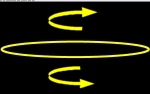
Movement / Backgrounds 9 MB (Shows some of the basic preset tracking movements - diagram to the right shows how visual / auditory and tactile (kinaesthetic) modalities are accessed by altering the tracking motion of the onscreen object and single / multiple background options). Download / View...
Binaural sound generator / player (low frequency audio)
"Wheel" - fun optical illusion
Approx 4 MB / 135 Audio/Image files in the installation file
Approx 300 MB of audio / image files available online (shared EMDR Pro only user area)
Approx 800 MB audio / video / image libary on installation ISO only
vEMDR Lite for patient use (Purchase required for stand-alone version, free web version, a version of EMDR Lite is built into EMDR Pro for demonstration purposes)
(Not included in the package - EMDR Home for patient use)
Online version of vEMDR Lite for patient use (Free)
Builtin Binaural Sound generator / player (Low Frequency Audio)
The Binaural Sound player at the top of the EMDR settings window allows you to rapidly play previously saved Binaural Sound profiles
The Binaural Sound generator allows you to generate your own Binaural Sounds and play them in the background very rapidly.
The generator is not intended to be a fully-featured large-scale Binaural Sound generator / editor but does allow simple Binaural Sounds to be generated and played quickly.
Binaural Sounds can be mixed with background audio sound using the player and the Binaural Sounds can be saved to .wav for later use.
The following applies in this early, semi-experimental release of the generator:
XP / Vista / Windows 7 / 8 / 8.1 / 10 / 11
English language support only
At the moment sound profiles can be exported but not then reloaded and re-edited because it only takes seconds to generate them (an editing facility may be added in the future)
The utility enables a variety of simple Binaural Sounds generated with as few clicks as possible (2 clicks is all that is required to generate and play a Binaural Sound)
Instant download via an automatic eMail sent instantly after purchase
Instant download after purchase (no installation DVD/CD) OR
Instant download after purchase and receive an installation DVD/CD in the post (the installation DVD/CD contains all relevant Neuro Innovations products as well as the user library - small additional fee applies)
No free trial download before purchase unless by exceptional prior agreement
EMDR software licences available
One user per PC is permitted only - multiple users using the same machine must share a common Windows login.
Why opt for the installation ISO (Plus instant download)?
The major advantage of the EMDR Pro installation ISO is the shared image / audio / video library. An ISO file is a 1.3 GB download that acts excactly like a thumb drive. The library is a combination of several EMDR therapist's personal therapy multimedia libraries merged together and categorised. That's about 850 MB of files that other EMDR therapists have used when treating their patients. (About 2,500+ individual files).
Basic installation support is UK based, free of charge and available by eMail or in emergencies by phone. Updates are free of charge for registered users. If you want us to install via remote control then there is a £30 fee.
What's new since Version 2.0
The current release of vEMDR Pro is 5.* and consists of the following additional features:
Display a background image and synchronise the display of the image with beep and be able to specify how long the image is displayed for
Bouncing effect (object only visible when at the extreme right and left)
Stop all sound / movement when moving from full screen mode to options mode to fully honour the stop signal
Stop all sound / movement to when the application is minimized
Square as well as round default images (ie one click to change image)
Play very large audio files quickly - done (see below - via inbuilt media player)
Play video / other multimedia files - done (as a foreground window in front of the background). Media formats supported by the inbuilt Media Player include:
Microsoft Windows Media formats - .avi, .asf, .asx, .rmi, .wav, .wma, .wax
UNIX formats - File name extensions: .au, .snd (Untested)
A variety of other formats are also supported eg QuickTime .mov (depending on codecs installed)
Automatic calculation of suggested optimum speed setting for the current PC
Faster and smoother movement - done (about 5 times faster and smoother)
Free: Large additional image / audio / video library compiled by users for other users (on the installation CD) - approx 300 MB (Preview)
Updated help files
Button to clear background audio sounds
Button to beep audio sounds
New trackbar to enable a small pause at the left / right hand sides (that is saved with other settings)
New trackbar to control media-player volume - auto mutes when volume level nears zero
Smoother animation (movement)
Simplified unlocking process
Licence screen does not appear for registered users
Improved video file playing
Easily move horizontal tracking from the top of the screen to the bottom
Automatic panning of background loop audio as well as auto panning of beep sounds (V2.4.2+)
Playing of CDs in the background within EMDR Pro itself
Ambient background audio generator (via free third party product)
Record audio from within EMDR Pro itself (XP) or via Audacity (Vista+)
Place the tracking object to the right of the menu area when "Show object" is clicked on
Change to the main tracking algorithm - more efficient maths (Done - even smoother tracking at higher speeds)
Embed EMDR Lite within EMDR Pro to save installing EMDR Lite
Embed a hypnotic 'spinning wheel' (user request)
Embed a cut down version of the Swish technique into the system
New tracking motion that is a near flat circular motion
Example settings covering a variety of issues (see samples folder)
EMDR Session forms to document treatment see help / resources
PDF version of keyboard shortcuts via help / resources
Compression / stardardisation option for background images ("Images" / "Compress Background Image" when a .jpg background image is loaded)
Multi-screen support (initial)
Wave tracking motion (up and down / left to right in a smooth wave pattern)
Figure of eight tracking motion
Slideshow effect with support for multiple background images (Hold the shift or control key down when selecting background images)
Smooth loading / clearing of audio files
Work with the EMDR Pro maximised or resize to any dimension you want
Open background audio files that have been opened previously with a couple of clicks Click here to see how...
If media files (audio / video / image) have been moved or slightly renamed then find the new location / find the nearest name within the shared library automatically when opening saved settings files
Open settings files directly from windows / display settings filename at the top of the screen
Multiple background images from different folders - the next background image in the sequence is displayed when the tracking object hits the right hand side of the screen
Edit multiple background image sequences - alter the order, copy and delete
Multiple tracking images from different folders - the next tracking image in the sequence is displayed when the tracking object hits the right hand side of the screen
Auto scaling of menu system (optional)
English / Spanish / French (provisional) / Chinese (provisional) language support
Built-in binaural sound playing support (low frequency audio)
Built-in binaural sound generation support (English language support only)
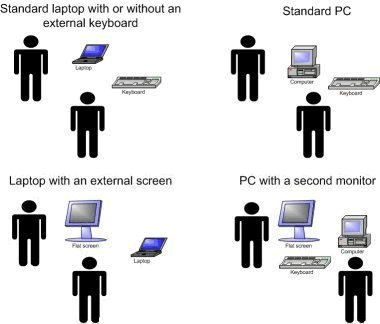
Most users do not feel the need to use laptop stands.
How does computer based EMDR work in practice?
Again, there are a number of options ranging from the very simple to the moderately complex. The monitor should be as close as feasible but not too close.
Standard laptop, perhaps with a small external USB keyboard (very, very cheap these days), perhaps with a stand or just on a desk
Standard PC strategically places so you can swivel the monitor around so the patient is facing the screen when practicing EMDR
Laptop with a second monitor (monitors are very inexpensive these days - a wide-screen monitor is perhaps better) - there's no need for an external keyboard
Standard PC with an external monitor
PC or laptop with a projector
EMDR Pro now has initial multi screen support (you see one screen and your patient sees another)
... there are many other options ...
It is always best to start with what you have already. EMDR Pro function on most systems and was originally developed on a Windows 98 PC with a Pentium 3 processor and 64 MB of memory. Pretty much any PC or laptop you can buy in the shops today will be vastly more powerful. The current version of EMDR Pro still works on that old Windows 98 PC! However, as with all computer applications if you have a fast PC, with a good quality graphics card and a fast monitor the movement will be smoother than might be the case with a lesser system.
EMDR Lite + EMDR Home (a simplifed version of EMDR Lite is free with and built into EMDR Pro) or EMDR Multi Home: £15.75 if purchased without EMDR Pro (7 MB / 3 MB instant downloads)
For the current version of EMDR Pro, Windows Media Player version 9+ may be required (most modern systems are preinstalled with at least version 10) to ensure that sufficient media Codecs are installed
EMDR Pro does support use on Windows based Netbooks. Care should however be taken not to overload memory with too many large multimedia resources.
What about registration / unlock codes?
We use a semi-automated unlock code management system based on a user key that is specific to an individual user and machine. The licence is on a single user / single machine basis. In the event of a system crash or purchase of a new PC we supply additional unlock codes.
In the unlikely event of a 'number 6 bus' incident we have provided a third party with a stand alone version of the unlock code generator. This would be sent to all current users and would mean that they would be able to generate their own unlock codes. We are however not planning to stand en-mass in front of a number 6 bus any time soon.
In EMDR Pro enable "bounce" mode if the tracking speed is not fast enough or is too chaotic due to bandwidth / timelag (latency) issues
Limitations: There can be significant bandwidth and timelag (latency) issues when using Skype in this way that can cause audio and video to be "choppy". To minimise these issues close down other programs at both ends of the call, don't use Skype video at the same time as screen sharing and use the bounce facility in EMDR Pro.
How much does EMDR Pro cost? How do I get it?
EMDR Pro is only £57.75 (plus £7.50 GBP if an installation ISO is required), which is less than many therapists charge for a single session. Bilat, EMDR Lite and Swish (basic) are free with EMDR Pro. All products are subject to a licence agreement. Details...
PayPal is safe, secure and does not require a PayPal account if paying via a Credit Card. You can download and install instantly after purchase via an automatic eMail that is sent after purchase.
V2.5: 30-Dec-06 Major update. Windows Media play lists now supported, play CDs in the background, more control over default options provided, faster smoother animation, support for multiple monitor situations, even easier unlocking...
V2.6.0: 1/1/07 Panning of Windows Media files as well as background loops, easier up / down movement of tracking, simple recording of any audio from within EMDR Pro, easy access to the system volume control...
V2.6.1: 1/1/07 Transparency issue when using background images fully resolved, more sample background images to the installation, recording volume control added to the recording facility (depends on type of sound card)
V2.6.2 to V2.6.5: 2/1/07 to 5/1/07 Instant on-screen method to activate transparency provided, speed issue on lower spec systems improved, options window improved, additional 'turbo' mode provided, automatic facility to calculate the correct speed for EMDR therapy totally rewritten, subliminal message facility activated.
V2.6.6 5-Jan-07 Object 'judder' with lower spec systems removed - movement is now smooth.
V2.6.6.a 7-Jan-07 custom screen width set as default issue resolved in the default settings file included in the installation file
V2.6.6.b 9-Jan-07 circular / vertical and elliptical movement added. V2.6.6.b beeps added to circular movements. Circular movement added to 'cycle through all' facility.
V2.6.6.d 10-Jan-07 beeps for circular movements finalised and improved. "Cycle though all" and "Transparency" settings are now saved when profile settings are saved.
V2.6.6.e 11-Jan-07 option added to the options window allowing instant access to the shared library without needing to change folder.
V2.6.6.e 11-Jan-07 a minor aspect ratio issue when playing videos was corrected (previously if the video did not have a standard aspect ration (width V height) a black border would have been visible - this border has been removed and the widow is automatically resized to fit video of any aspect ratio).
V2.7 14-Jan-07 was a significant "round-up" update
Place the tracking object to the right of the menu area when "Show object" is clicked on
V3.0 preparation requirement (Required by developers): change to the main tracking algorithm - more efficient maths (Done - even smoother tracking at higher speeds)
Embed EMDR Lite within EMDR Pro to save installing EMDR Lite
Embed a hypnotic 'spinning wheel' (user request)
Embed a cut down version of the Swish technique into the system
New tracking motion that is a near flat circular motion
Example settings covering a variety of issues (see samples folder)
EMDR Session forms to document treatment see help / resources
PDF version of keyboard shortcuts via help / resources
More options saved to settings profiles (check boxes)
V2.7.1 15-Jan-07 installation problem fixed (if in V2.7 the system locks at the licence agreement screen or if some controls have a black background and do not seem to function then you have a corrupted installation file and need to download V2.7.1 which is guaranteed to be OK - the problem was caused by our hosting company and is limited to v2.7 only)
V2.8 24-Feb-07 Elliptical movement expanded and made totally adjustable (Done)
V2.8 24-Feb-07 Animation engine has been redesigned using even more effecient maths (Done)
V2.8 24-Feb-07 Automatic settings adjustment when using large background files (Done)
V2.8 24-Feb-07 Special setting for those with very, very fast systems (Done)
V2.8 24-Feb-07 Panning / subliminal text now also applies to circular / elliptical motions (Done)
V2.8 24-Feb-07 Options are now applied as soon as saved (Done)
V2.8 24-Feb-07 Help tips are displayed when in setup mode whenever you hover over eg a button - tells you exactly what the control does (Done)
V2.8 24-Feb-07 Much better control over the tracking speed for fine tuning to get exactly the right speed, whilst at the same time being able to increase and decrease speed very quickly (Done)
V2.8 24-Feb-07 Soft-landing when at the end of a sequence - the tracking object slowly and gently glides back into the centre of the screen when the sequence is concluded (Done)
NB New unlock code required for this version
Dec 06 - Feb 07 updates concluded.
V2.8.3 to V2.8.4 - 20 Mar 06 - A few minor changes were made to the unlocking process to enable the system to run on Vista machines and a few minor changes were made to the way in which audio is handled to factor in differences when running on machines with non-standard character sets. Improved consistency between the CD and downlad installations. Added a single click function to send the user code to us via eMAil (if connected the web and permitted to do so by anti-virus software).
V2.8.5 - 22 Mar 07 - An issue associated the the clear beep audio function was resolved. When clearing beep audio the background audio would have been muted.
V2.8.6 - 23 Mar 07 - An issue associated with tracking was resolved. Percentage display of the background image was restricted to when transparency was enabled.
V2.8.7 - 2 Jun 07 - Help files updated.
V2.8.8 - 12 Jun 07 - Unlock screen layout improved. When pasting unlock codes leading and trailing spaces are removed automatically.
V2.8.9 - 14 Jume 07 - New facility available to compress and standardise a background image has been provided. ("Images" / "Compress Background Image" when a background image is loaded). The current BG Image is resized to 500 by 300 pixels and save to a new filename. Only available for jpg images.
V2.9 - 14 June 07 - New Multi-screen support (Click on View then "Multi screen"). The current window is copied and a new window is generated. Most things that you do in the first window will be reflected in the second window. This means you can change the settings without showing your patient the main menu screen. (This is for advanced users that know how to setup the "extended desktop with multiple monitors" feature in windows which is different that just having two monitors).
V2.9.1 - 20 Jun 07 - a few minor issues were improved eg licence screen appears then closes automatically after a couple of seconds. This removes the 'flash' effect when EMDR loads-up initially. The behavior of the tracking object / image when made larger and at the far right hand side of the screen has been changed. It used to get smaller now it just moves to the left. The solution also fixed a very rare case of the tracking object seeming to stick at the right hand side in rare circumstances. (Flat tracking mode / horizontal / infinite loops / max delay / slow tracking rate / tracking object at extreme right hand side + Ctrl Shift L {make tracking object larger}).
V2.9.2 - 23 Jun 07 - a variety of cumulative updates have been released
When loading in saved settings background audio is not automatically played until movement starts (loops or large media)
Packaged background audio loops have been edited / some have been removed
Subliminal text is hidden when in setup mode unless the text is being edited
The tracking object is now displayed in a constant position when in setup mode
Loop audio buttons have been simplified - "Stop" has been removed and the red / green colouring has been improved to indicate what you can do and when
Red / green colouring has been added to the buttons in the media player area to indicate what you can do and when with the media player
The GUI (controls when in settings mode) have been made more readable
V2.9.3a/b/c/d/e - 24 Jun 07 - cumulative updates part 2
When opening a saved settings file the background audio / image / large media is first cleared
Red / green colouring has been added to the buttons for the background image
Sample settings files have been improved
Video display has been improved (maximise / hide feature in particular)
Loop counting made consistent between flat style and round style tracking modes
New "Wave" like tracking motion (top to bottom L<->R in a sine or cosign wave format)
New "figure of eight" tracking format (V2.9.3d)
Check for updates feature
In treatment mode (fullscreen) the keys "\" and "/" generate the corresponding movement unless a fixed position tracking style has been selected eg circle
V2.9.3a - 28 Jun 07 - Slideshow effect with support for multiple background images (and tracking images for test users). Greatly improved memory management which should mean better / smoother animation.
V2.9.4 / V2.9.5 - 2 Jul 07 - Much improved slideshow effect (faster / quality feature improved / improved file-load error detection). Smooth loading / clearing of audio files. Smoother tracking when panning. V/A/K keys added when in treatment mode (fullscreen mode) that alter tracking position with one keypress only.
V2.9.5.2 - 4 Jul 07 - Passwords for the online resource area added to the "Help" / "Resources" page. User help updated.
V2.9.6.2 - 7 Jul 07 - Improved recorder layout. Panning issue corrected. Resize window now supported. Even smoother animation.
V2.9.6.3 - 11 July 07 - Screen refresh issue when a background image is displayed + smooth not selected + % BG not 100% resolved.
V2.9.6.4 - 13 July 07 - For the benefit of slower / older systems we have set the default setting for "smooth" to "off".
V2.9.6.5 - 15 July 07 - Animation performance when panning large media audio files has been improved. This may previously have been a possible issue for slower / older systems.
V2.9.6.6 - 25 Sept 07 - All windows have been resized to enable the system to display properly on screens sized to 800 by 600 pixels. (The default for most screens today is 1024 by 768 pixels or more).
V3.0 - 1 Jan 2008 - Tactile unit support. The installation program now stores default images / sounds etc in the c:\CS\Shared folder.
V3.0 - 29 Mar 2008 - Corrected an issue with the installer such that the shared resource folder was not being created in some situations.
V3.1 - 3 Jun 08 - They key used to switch between the Treatment mode and Setup mode can now be specified and saved as part of the options window.
V3.2 - 23 Sept 08 - If media files (audio / video / image) have been moved or slightly renamed then find the new location / find the nearest name within the shared multimedia library automatically when opening saved settings files. Also, open background audio files that have been opened previously with a couple of clicks. The default setting for the display quality of background images was also increased slightly.
V3.3 - 25 Sept 08 - Edit multiple background images (change order / copy / delete), select multiple background images from different folders, the default duration of tactile bursts was slightly reduced
V3.4 - 4 Oct 08 - Open settings files directly from windows / display settings filename at the top of the screen
V3.5 - 14 Oct 08 - Improved efficiency and support on Vista / XP systems
V3.6 - 29 Oct 08 - Recording utility access issue corrected for XP systems
V3.7 - 30 Oct 08 - Recording utility upgraded to work with Vista and a few minor aesthetic changes to the menu system
V3.8 - 2 Dec 08 - End of year roundup: Multiple routine updates - integration with Audacity as an alternative to the inbuilt audio recorder, aesthetic improvements to the inbuilt recorder for XP users, new method of interfacing with the tapping units (no visible change - should mean smooth tracking even if large background images are present or if using a low spec system), corrected tracking object repositioning issue when changing the background color, added a "File/New" function, corrected system volume control access in Vista, integrated fully with Autoupdate when checking for updates
V3.9 - 16 Dec 08 - Continued end of year roundup: Enabled facility to autofind missing slideshow images. Corrected tapper control issue when using the space bar to pause tracking.
V4.1 - 19 Feb 09 - A cumulative update actioning user requests.
V4.2 - 18 May 09 - Simplified unlocking process from a technical perspective (no visible change - no need for a new unlock code). This resolves an issue in EMDR Pro with Vista whereby changing some Windows settings would potentially have resulted in the "unlocked" status reverting to "unregistered". Also, link added to online shared user media library, red/green effect on background image buttons corrected when loading saved settings.
V4.3 - 25 May 09 - Multiple image selection and display (slideshow effect) enabled for the tracking image as well as for background images. (Present since V2.9.3a for test users).
V4.4 - 8 Jun 09 - Fixed tracking motions improved when tracking image is made larger. Default file open location for background audio loops changed from c:\CS\Shared\Audio\Background to c:\CS\Shared\Audio.
V4.5 - 10 Jun 09 - Ability to edit multiple tracking images added (change order, copy, delete)
V4.6 - 23 Aug 09 - Removal of "red" effects on inactive buttons, automatic loading and playing of recorded audio using inbuilt audio recorder, new option in "options" to disable smooth start, faster smooth start when enabled, edit copy of image facility added when editing multiple tacking or background image lists, yellow box style adopted if an invalid tracking image is loaded, improved error handling when an invalid file is loaded as a beep sound.
V4.7 - 12 Aug 09 - Faster smooth recentering and possible movement quality issue after recentering resolved.
V4.8 - 21 Aug 09 - Help files updated to current version
V4.9 - 29 Sept 09 - An option to automatically scale the main menu (GUI) has been enabled so the menu fills 85% of the available screen no matter how resized or what the screen resolution is. (Existing users should click on View / Options / Save default settings to enable). When entering subliminal text the text is diaplyed in front of the menu and is then hidden when clicked on, or when any of the controls are clicked on, or when clicking just outside of the text entry box.
V5.0 - 14 Dec 09 - User interface made more intuitive with controls blocked more logically together in groups of related visual, auditory and tactile functions.
V5.1 - 16 Dec 09 - Removed an unreported flashing effect when altering the size of the tacking image or the tracking path when in setup mode.
V5.2 - 27 Jan 2010 - Major update: Addition of Spanish and provisional French / Chinese language support as well as English (applies to most on-screen text, most / all notification messages and all in-line help for Spanish / French support and onscreen text for Chinese language support), visual improvement of the Options window (subliminal message text and language can now be set in the Options window), addition of "edit multiple background / tracking image icons" that appear only when multiple images have been selected, minor updates made to main help file, notification message box improved, reference numbers provided for all onscreen notifictions
V5.3 - 2 Feb 2010 - Change to enable silent reinstallation via autoupdate, built-in binaural sound support (low frequency audio) added to top area of menu with 100+ sample files
V5.4 - 12 Feb 2010 - Binaural sound generator added to enable users to generate and play their own custom binaural sounds (English language / XP-Vista-Windows7)
V5.5 - 5 Mar 2010 - Improved internal efficiency, ability to hide / unhide file location area of menu, faster closing, improved default settings, rainbow effect background colour selection or visual effect, improved tactile unit controls
V5.6 - 12 May 2010 - Addition of random tracking motion (New preset tracking pattern check-box)
V5.7 - 28 Aug 2010 - Improved automatic communication of unlock code requests by eMail
V5.8 - 4th to 9th Jan 2011 - 500+ additional tracking images have been added to the shared media library, 300+ of those files have been included in the installation file, the reminder are in the CD and web version of shared media library, correction of screen refresh issue when the tracking object was made larger than the screen size when the "Smooth" option was selected, addition of option to display the number of reps / loops when in treatment mode, addition of option to reset the loop counter, more beep sounds added, facility added to enable preview of beeps, background audio / background video / tracking images / background images before adding, improved system volume control for laptops, and multiple other changes
V5.8 20 June 2011 Clockwise or anticlockwise option added for the elliptical tracking pattern
V5.8 2 Dec 2011 EMDR Pro - Removed the splash screen presented to users that are not unlocked. 6 Dec 2011 prevented the EMDR Pro screen from being minimised / hidden during the unlocking process when other applications are open at the same time (Version number not incremented - does not affect unlocked users)
V5.9 22 Dec 2011 to 31 Aug 2012 - beta testing of multiple updates
V6.0 11 Sept 2012 - Cumulative updates
22 Dec 2011 - A new installation solution has been put in place for those that opt to purchase with an ISO
24 Feb 2012 - White circle / square default tracking image capability added, hover help added for experimental binaural beats section
28 Feb 2012 Increased the number of background images included in the installer
29 Feb 2012 Updated help files and printable manual)
1 Mar 2012 Improved ability to find moved or renamed media files
1 Mar 2012 Added 170+ sample settings files including associated multimedia (minus music) as a downloadable (85+ MB) file and on the EMDR Pro ISO / Toolkit DVD
5 Mar 2012 Warning provided if user selects a background audio files that is > 60 MB (user is advised to use the Multimedia/CD player instead)
31 Aug 2012 Paths to Audacity / Atmosphere Lite now factor-in 64 bit OS locations
9 Sept 2012 Improved the functioning of the binaural beats audio generator when closing with sound playing / opening with a window already open
9 Sept 2012 When in fullscreen mode the top menu is now fully hidden
10 Sept 2012 - When not minimised and moving back and forth between treatment mode and settings mode prevented the window from changing dimensions
11 Sept 2012 Ensured that the embedded version of Swish Lite and EMDR Lite used the full screen width when using wide-screen settings
V6.1 24 Feb 2014 - New icon and improved "My Desktop / My Programs" installation locations
N/A 1 Oct 2014 Improved installation DVD solution
V6.1b 2 Oct 2014 - New "compacted" figure of 8 tracking pattern, new capacity to reverse tracking direction for the figure of 8 pattern, faster window resizing responses
V6.1c 21 Mar 2015 - Update to facilitate installation on systems with Korean / Japanese / Chinese system character sets
V6.1d 14 Oct 2015 - Update to improve bilateral support for more sound card / headphone combinations, minor update to registration module
V6.2 28 Feb 2017 - Restored the function of the "\" key when tracking with some keyboard layouts
V6.2 build c: beta 04 Nov 2017 - Integrated into online unlock code automation solution
V6.a build a: 10 June 2020 - Improved tracking on Windows 8/10, increased width of figure of eight pattern, corrected "smooth" option
DVD installation solution replaced with a downloadable ISO based solution
If you notice any anomalies then please let us know.
Please note that there is sometimes a lag between a feature being developed and that feature being added to the documentation. This is to allow the feature to stabilise.


 English /
  Spanish /
  *French /
  *Chinese language support (*=provisional)
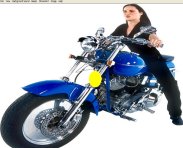
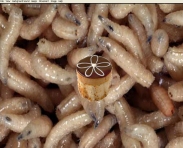
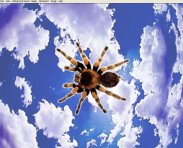
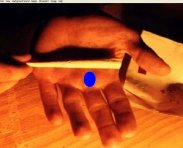
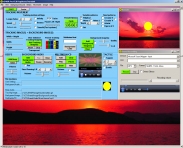
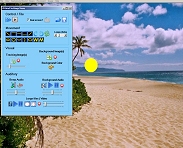
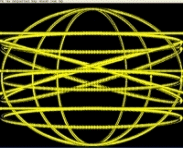
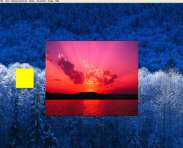
 We have provided a screen-shot animation (recorded at 4 screenshots per second - wmv format) to show what EMDR Pro looks like when being used.
 The Binaural Sound player at the top of the EMDR settings window allows you to rapidly play previously saved Binaural Sound profiles
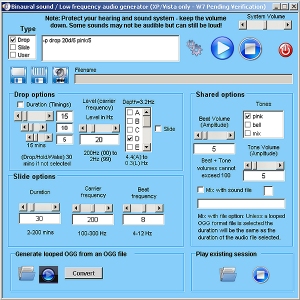 The Binaural Sound generator allows you to generate your own Binaural Sounds and play them in the background very rapidly.
 Windows 7 / 8 / 8.1 / 10 / 11 {32 and 64 Bit}
 EMDR Pro is only £57.75 (plus £7.50 GBP if an installation ISO is required), which is less than many therapists charge for a single session. Bilat, EMDR Lite and Swish (basic) are free with EMDR Pro. All products are subject to a licence agreement.
  Sequence together your own audio CDs or sound files