|
|

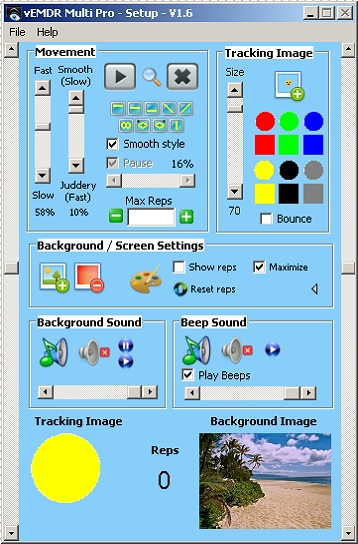
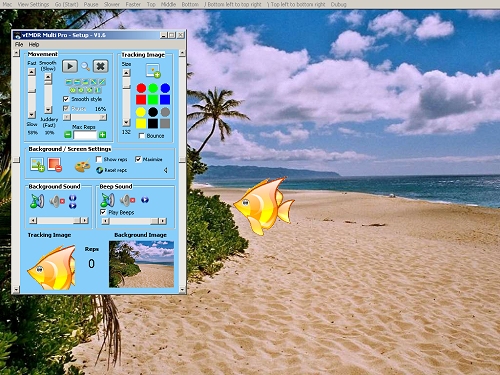
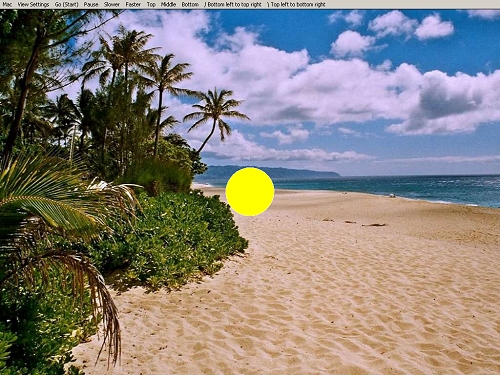
EMDR Multi Pro is a simplified multi-platform version of our PC based EMDR software, EMDR Pro. EMDR Multi Pro runs on PCs and is suitable for use by patients / clients when at home as directed by their therapist or for use by therapists.
- Sufficiently powerful, yet simple and easy to use EMDR software
- Change default settings
- Dual screen support - a settings window and a processing window
- Optionally hide the cursor (when in dual monitor clone mode)
- Save client settings to file and reopen later
- Includes access to the online version of the shared media library
Use the 9 default tracking paths (see images below) provided or specifiy your own tracking path
- Track in any direction at any speed
- *Change the tracking patterns during processing using keyboard shortcuts
- 10 preset tracking patterns (Top / Middle / Bottom / Bottom left to top right / Top left to bottom right / Figure of eight / Compacted Figure of eight / Vertical / Oval - clockwise / Oval - anticlockwise)
- Pause and slow at the left or right hand sides for a specified duration
- Change the speed when processing by pressing the [F]aster or [S]lower keys
- Bounce mode - the tracking image is displayed briefly only when at the left and right hand sides of the screen
- Instantly stop movement / audio by pressing the Escape key
Use one of the default tracking paths...
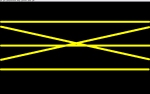
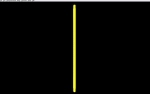
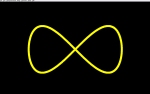
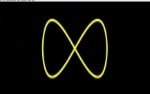
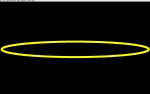
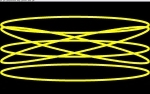
...or define your own tracking path.
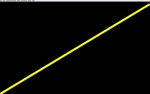
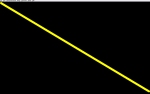
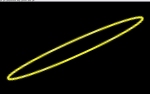
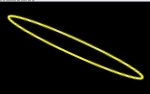
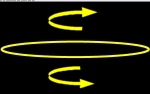
Two styles of tracking are provided - smooth and fast. The smooth style tracks with a slightly variable path and a slower speed when nearing the left and right hand sides. The fast tracking style maintains a constant speed and path regardless of the direction.
Select one of the 12 default tracking images or select your own (755 images are provided)
- Alter the size of the tracking image (width and height at the same time)
- *Round or square tracking images
- Several colours for the default tracking image
- Any image as the tracking image (selection provided)
Choose your own background color or use a background image or photo (66 images are provided)
- Change background colours for use when not using a background image
- Any image as the background image (selection provided)
Play beeps when the image reaches the left / right hand sides and / or play background audio (106 beeps and 52 background audio loops are provided)
- Beep audio (selection provided)
- Background audio (selection provided)
Stop after a set number of reps Rep (loops) / see the reps onscreen
- Precise number of tracking sets (reps) including infinity
- Onscreen counting of reps (displays on both screens) [PC/Linux]
We provide a range of audio and image files suitable for beeps, background audio, tracking images and background images based on a selection from our shared multimedia library. You may add to this library yourself or choose a file from somewhere other than our library. The choice is yours.
* These features can depend on the hardware that the system is being run on. Round images may appear to be oval with some wide-screen monitors.
Multimedia support (images and audio files) is substantial - if Quicktime on Macs or Windows Media Player on PCs can display or play the file then EMDR Multi Pro can as well.
EMDR Multi Pro - Help / User Manual
Video Demos
- EMDR Multi Pro software: Tracking image selection (V1.2)
- EMDR Multi Pro software: Background image selection (V1.2)
- EMDR Multi Pro software: Audio settings (V1.2)
- EMDR Multi Pro software: Tracking motions (NB the very juddery tracking motion in the video is not representative of the smooth tracking motions in the software) (V1.2)
- EMDR Multi Pro software: Save and reload client settings (V1.2)
- More EMDR software videos (V1.2)
How to use EMDR Multi Pro?
Suggested usage guidelines are documented in our training area. More...
EMDR Pro can be used as part of the process for treatment of trauma / PTSD, the treatment of panic attacks / agoraphobia, the treatment of phobias and fears, the ongoing management of stress and anxiety and the treatment of addictions and habits.
We have developed a specific EMDR protocol for the treatment of phobias. See the Phobia Breakthough EMDR Protocol below:
How our EMDR software works in practice in the therapy room
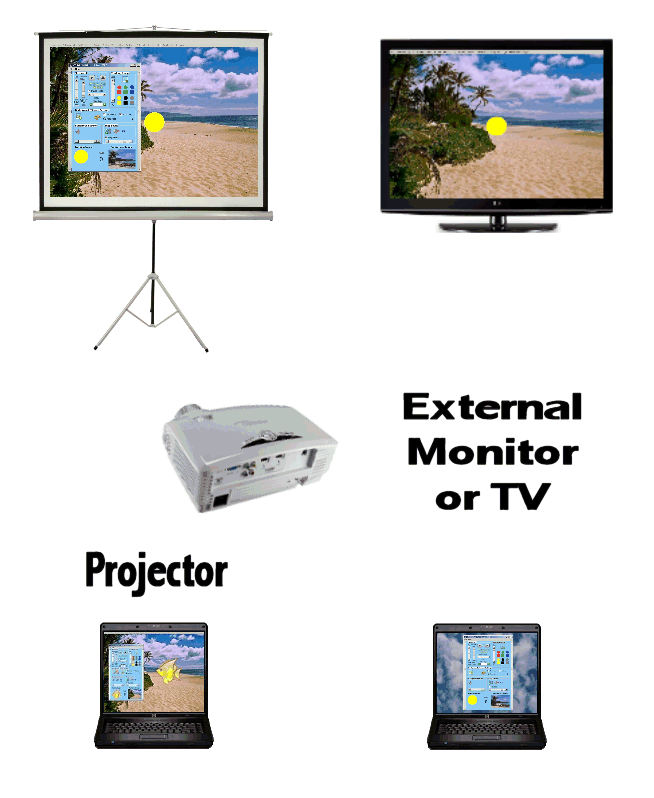 All of our software products can be used with dual monitors in clone mode. Clone mode is where what you see on your screen is exactly what your patient sees on their screen. EMDR Multi pro supports "clone mode" use as well as the very much more complex "extended desktop" way of using 2 monitors. Most users will find that "clone mode" is easier and simpler to work with.
- How to setup extended desktop mode dual monitors for Mac OSX
- How to setup extended desktop mode dual monitors for Windows
Clone mode is supported by almost all laptops and does not require drivers for the second monitor to be installed. Clone mode is the standard way of using a projector as well. More...
Projectors can be used but can be a little noisy and hot for the therapy room. There are also ongoing costs in terms of bulbs, graphics performance is rarely as good as one might expect and the long start-up and shut down times can be problematic.
To use "clone mode" with a Mac simply plug in the external monitor (it does not need to be a Mac monitor in most cases - a cheap converter cable can be used to allow you to use standard monitors), then press "F7". More...
To use "clone mode" with a Windows laptop plug in the external monitor then press the "Alt" and "F8" keys at the same time (the key combination can vary between laptops). You can toggle between various modes, one of which allows you to see your desktop clones or mirrored on the external monitor. More...
Can EMDR Multi Pro be used with Skype to facilitate remote treatment?
Yes: by making use of the free screen / window sharing facility in Skype.
For instructions click on the links below
- How to share the screen or a window using Skype
- You will need to enable your sound card's "Stereo Mix" capability for stereo audio (NB not all sound cards support this facility hence bilateral audio may not be possible)
- In EMDR Multi Pro enable "bounce" mode if the tracking speed is not fast enough or is too chaotic due to bandwidth / timelag (latency) issues
Limitations: There can be significant bandwidth and timelag (latency) issues when using Skype in this way that can cause audio and video to be "choppy". To minimise these issues close down other programs at both ends of the call, don't use Skype video at the same time as screen sharing and use the bounce facility in EMDR Multi Pro.
Features from EMDR Pro that have been excluded
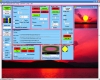 EMDR Multi Pro is a reduced functionality version of EMDR Pro.
The following features from EMDR Pro have not been implemented in EMDR Multi Pro:
- Multiple tracking images
- Multiple background images
- Video support
- Semi subliminal textual belief prompts
- Bilateral panning of background audio
- Automatic compression of background and tracking images
- Soft-start audio (gradually fading audio in and out when playing or stopping audio)
- Circular, random, cyclic tracking patterns
- Tactile unit support
- Built-in low frequency audio generation
- Random background colors
- Display of background images only for part of the tracking motion
- ...
Installation Requirements
 The system operates with the following versions of Windows:
 Windows 7 / 8 / 8.1 / 10
- Vista
- Windows XP Media Centre Edition 2005
- Windows XP (Home or Pro)
- Windows NT 4 (With service pack 6a or later applied)
- Windows ME
- Windows 2000 (With service pack 2 or later applied)
Windows Netbook use is supported. You are advised to use with the Netbook plugged into mains power and to close all other applications when using EMDR Multi to assure smooth tracking.
 The system operates with the following versions of Mac OSX:
- OS X 10.2-10.10 Jaguar/Panther/Tiger/Leopard/Snow Leopard/Lion/Mavericks/Yosemite
- PowerPC or Intel architecture
- Ideally with Quicktime installed to ensure that the widest range of audio / image files are supported
Version History
- V1.2 - 26 Jan 2010 - First non beta release for Mac / PC / Linux platforms
- V1.3 - 19 Jun 2011 - New tracking patterns added (Vertical / Figure of eight / Elliptical-Oval) - 8 in total, addition of elliptical / oval tracking in any direction and clockwise / anticlockwise, correction of issue that would have prevented background audio from being cleared in specific circumstances
- V1.4 - 11 Nov 2011 - (Windows Version only) Improved functioning on Vista / Windows 7 machines, more keyboard shortcuts, save settings file extension issue resolved, easier selection of tracking motions, multiple other changes
- V1.5 - 21 Nov 2011 - (Windows Version only) Completion of new tracking mechanism for Vista and Windows 7
- V1.6 - 11 Sept 2012 - Cumulative updates as follows:
- Issue: Linux only: "Any" filter when eg opening a beep file did not display any files. Resolution: A series of new filetypes eg WAV / MP3 have been added and the "Any" filter has been moved to end of the list until a final resolution can be found.
- Issue: Linux only: Clicking on the "Maximise" button when not in "Vista/Windows 7" mode results in the program closing. Resolution: Fixed
- Issue: When reading back settings files that have beep / background audio the clear / pause etc buttons remain hidden. Resolution: Fixed
- Issue: When a default setting is changed it does not change the defaults in previously saved settings files. Resolution: Some settings are now not saved to standard settings files.
- Issue: There are two animation engines within the program - the original version and the version developed for Vista / Windows 7. We believe that both can be used with most Linux systems. It is however not always clear which "Processing Window" is being controlled by which version of the animation engine. Resolution: A version number has been added to the processing window and when defaults are saved the application will exit to ensure that the changes are applied fully.
- Issue: Linux: Left tracker bar not visible. Resolution: The tracker bar's position is moved to the right and made visible in Linux only.
- Issue: Linux: The installation process was not sufficiently documented. Resolution: Detailed instructions are now provided.
- OSX: The installer was redefined to resolve access rights issues.
- V1.7 - 21 Jan 2013 - Smoother tracking in Windows 7/8/8.1 mode
- V1.7 24 Feb 2014 - Improved "My Desktop / My Programs" installation locations
- V1.7a (PC only) 2 Oct 2014 - Corrected the top / bottom text for the judder control. Implemented a compacted figure of 8 pattern and the ability to reverse the tracking direction for the figure of 8 pattern.
- V1.7b [Approx 1.7.892] (PC only) 12 Oct 2014 - Corrected the behavior when the maximum number of reps is achieved and the saving of the updated max rep value when in Vista/W7-8 mode.
- V1.8a - 23 Oct 2014 - New release including new tracking mode for Macs, updated internal help file and correct display of reps in Mac mode.
- V1.8b - 29 Nov 2014 - New tracking mode specifically for Windows 8 / 8.1 available from the downloads page
- V1.8c - 21 Mar 2015 - Update to facilitate installation on systems with Korean / Japanese / Chinese system character sets
- V1.9 - 21 Jan 2018 - Optional online generation of unlock codes added
- V2.0 - 9 Feb 2021 - Resolved issue when reloading last saved default settings
How do I purchase? How much does it cost?
EMDR Multi Pro is only £39.75, which is less than many therapists charge for a single session. All products are subject to a licence agreement and an unlocking / registration process. Details...
 Click here to purchase and download today
Glossary: apple mac, osx, linux, emdr, emdr therapy, emdr self-therapy, eye movement desensitization and reprocessing, emdr software, online emdr, self emdr, trauma, cbt, processing, ptsd, emdr home use software, emdr software, emdr app
Last Updated 12 October 2026 © www.neuroinnovations.com 1998-2023
|
|